Ready
2 plates tuned, 15 changes
Your settings now in amber, tuned in green. Green is what to use. Free means typing them into Bambu Studio; Pro hands you the file.
- Whole project rows → in Bambu Studio open Process → Global (the process profile).
- Per object rows → Process → Objects, or click the object in the list.
Pro downloads the tuned file so you skip this step.
Plates2
Changes15
Print time ProWhat we read from your fileP1S
- Printer
- Bambu Lab P1S 0.4 nozzle
- Nozzle
- 0.4 mm
- Process profile
- 0.20mm Standard @BBL X1C
- Slot 1 (AMS tray 1)
- Bambu Lab PLA
- Slot 2 (AMS tray 2)
- Bambu Lab PLA
Whole projectApplies to all plates
Outer wall accel.Slows sharp turns so outer edges don't echoouter_wall_acceleration5000 mm/s²→4000 mm/s²
Min layer time (fan max threshold)Gives tiny layers time to cool before the next oneslow_down_layer_time4 s→8 s
- Removes ghosting/ringing on outer edges.
- Fastest layer on any plate is ~0.4s: force at least 8s so small features cool before the next layer.
- Filament profile is a Bambu profile - if the spool is another brand and details look soft, drop nozzle temp 5 C and run Flow Dynamics calibration for that spool.
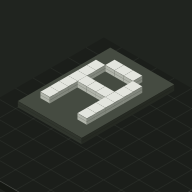 Plate 01 · 6 changesLettersFlat plaque / relief
Outer wall speedSlower outer path for a smoother visible surfaceouter_wall_speeddefault→150 mm/s
Small perimeter speedSlows tiny loops so they don't melt into blobssmall_perimeter_speeddefault→25 mm/s
Detect thin wallsFills hairline walls instead of leaving gapsdetect_thin_walldefault→1
Wall generatorVariable-width walls that fit thin featureswall_generatordefault→arachne
IroningExtra pass that smooths flat top surfacesironing_typedefault→top
Seam positionWhere the start/end line sits on the partseam_positiondefault→aligned
- Slower outer wall = smoother visible surface and cleaner edges.
- Small loops (arrows, eyes, claws, joints) overheat at speed: 25 mm/s fixed.
- 17% of layers are mostly features narrower than 2 lines.
- Variable-width walls fill thin features instead of gaps.
- Large flat top surface: ironing makes it smooth.
- Straight-walled part: keep the seam in one line.
- Fix before printingText or line details here are thinner than about 2 nozzle widths (0.8 mm) on 17% of layers, so they print as blobs. Thicken the strokes to at least 0.8 mm in the model, switch to a 0.2 mm nozzle, or use finer layers for the top.
- Minor overhangs (0.7% of surface) - probably fine unsupported; check Preview for red areas.
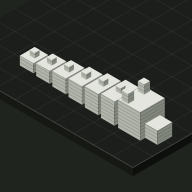 Plate 02 · 7 changesDragonPrint-in-place (moving joints) · 5 joints
Outer wall speedSlower outer path for a smoother visible surfaceouter_wall_speeddefault→150 mm/s
Small perimeter speedSlows tiny loops so they don't melt into blobssmall_perimeter_speeddefault→25 mm/s
Detect thin wallsFills hairline walls instead of leaving gapsdetect_thin_walldefault→1
IroningExtra pass that smooths flat top surfacesironing_typedefault→no ironing
Seam positionWhere the start/end line sits on the partseam_positiondefault→back
Scarf seamBlends the join line so it looks less like a zipperseam_slope_typedefault→external
Elephant foot comp.Pulls in the first layer so hinges don't fuseelefant_foot_compensationdefault→0.15 mm
- Slower outer wall = smoother visible surface and cleaner edges.
- Small loops (arrows, eyes, claws, joints) overheat at speed: 25 mm/s fixed.
- 12% of layers are mostly features narrower than 2 lines.
- Curved tops: ironing adds time with no benefit.
- Hide the seam on the back of the model.
- Scarf seam blends the seam on curved outer walls.
- Keeps first-layer joints from fusing.
- Check in Preview12% of the surface overhangs >45 deg, but supports inside joints fuse them. Supports left alone - paint support only where needed.
- Check in Preview33% of layers have tiny islands (<12 mm^2) - this is where heat blobs happen. The layer-time floor targets this.